How it works
First call to closed case. One record.
Four steps, one arrangement record. Every document is generated from it, so nothing is typed twice and nothing drifts.
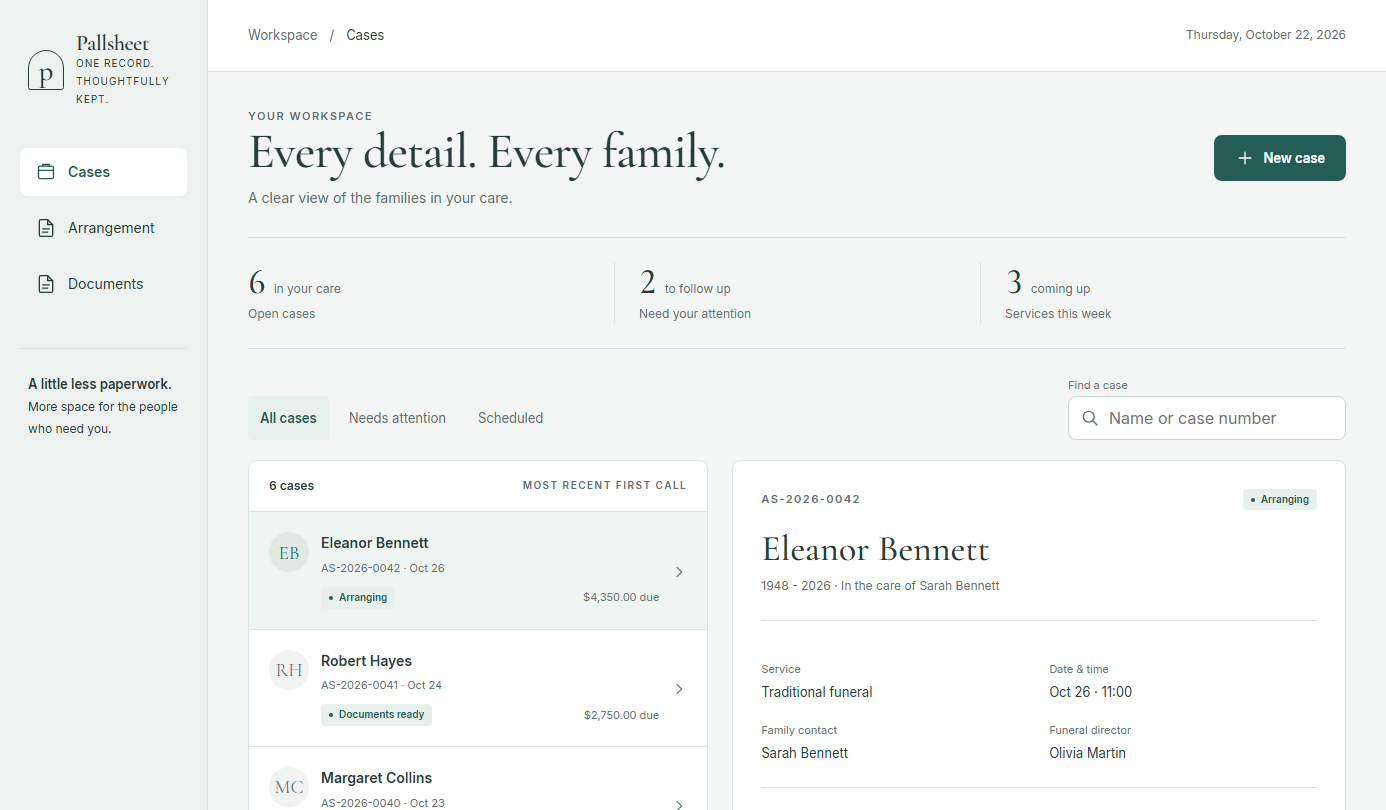
First call
Take the name, the caller and the removal details in a minute. The case is on your board right away, with what is still missing shown next to it. Send the family a private link so they can fill in the details at home, before the meeting.
- Name, caller, removal details
- Case appears on the shared board
- Family link: they fill in the deceased and family details
Arrangement conference
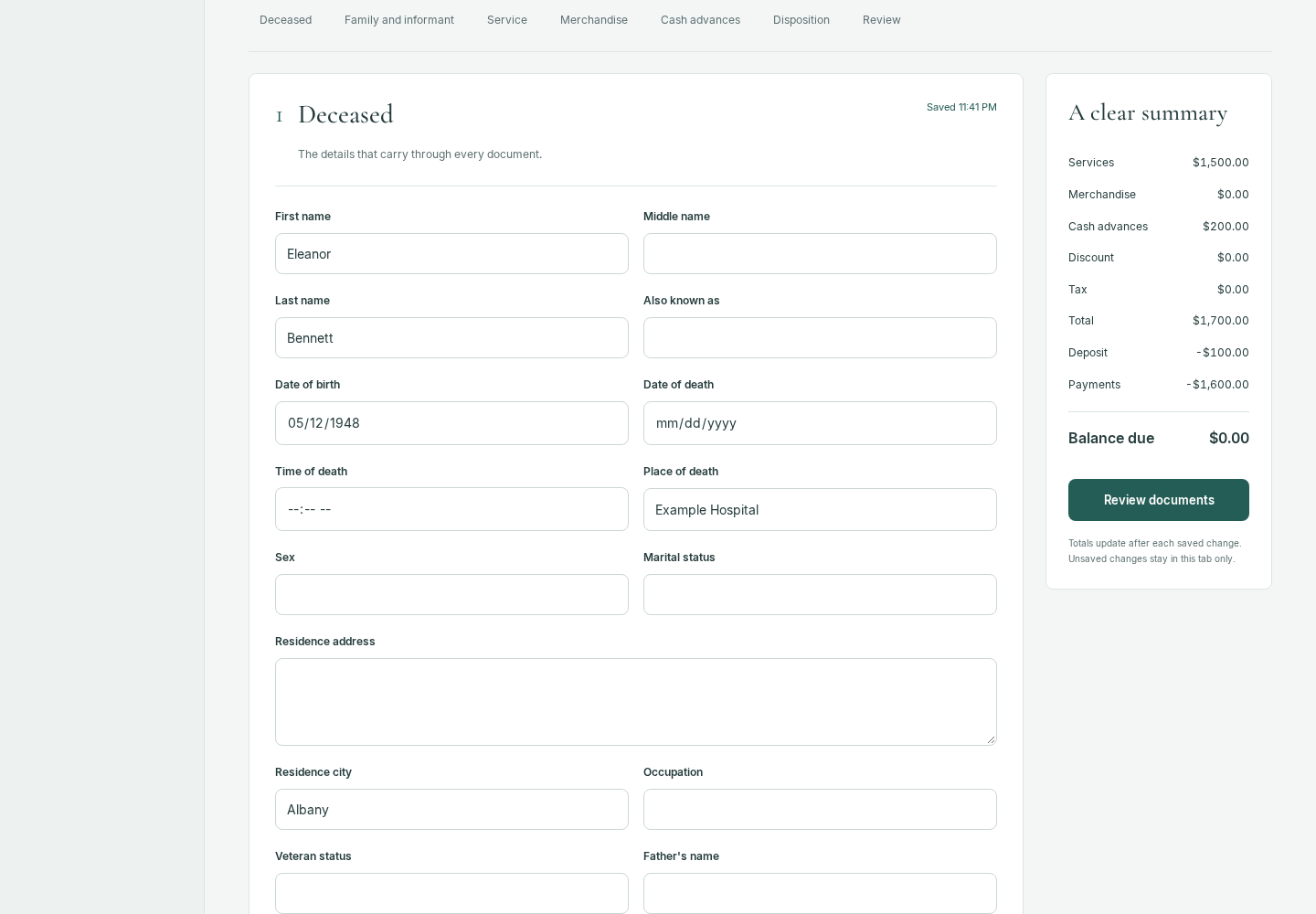
Sit with the family and work through each section on the iPad. It saves as you go. Pick items from your own General Price List with a tap and watch the balance update.
- Sections: deceased, family, service, merchandise, cash advances, disposition
- Autosave on every change
- Running totals from your price list
Sign and send
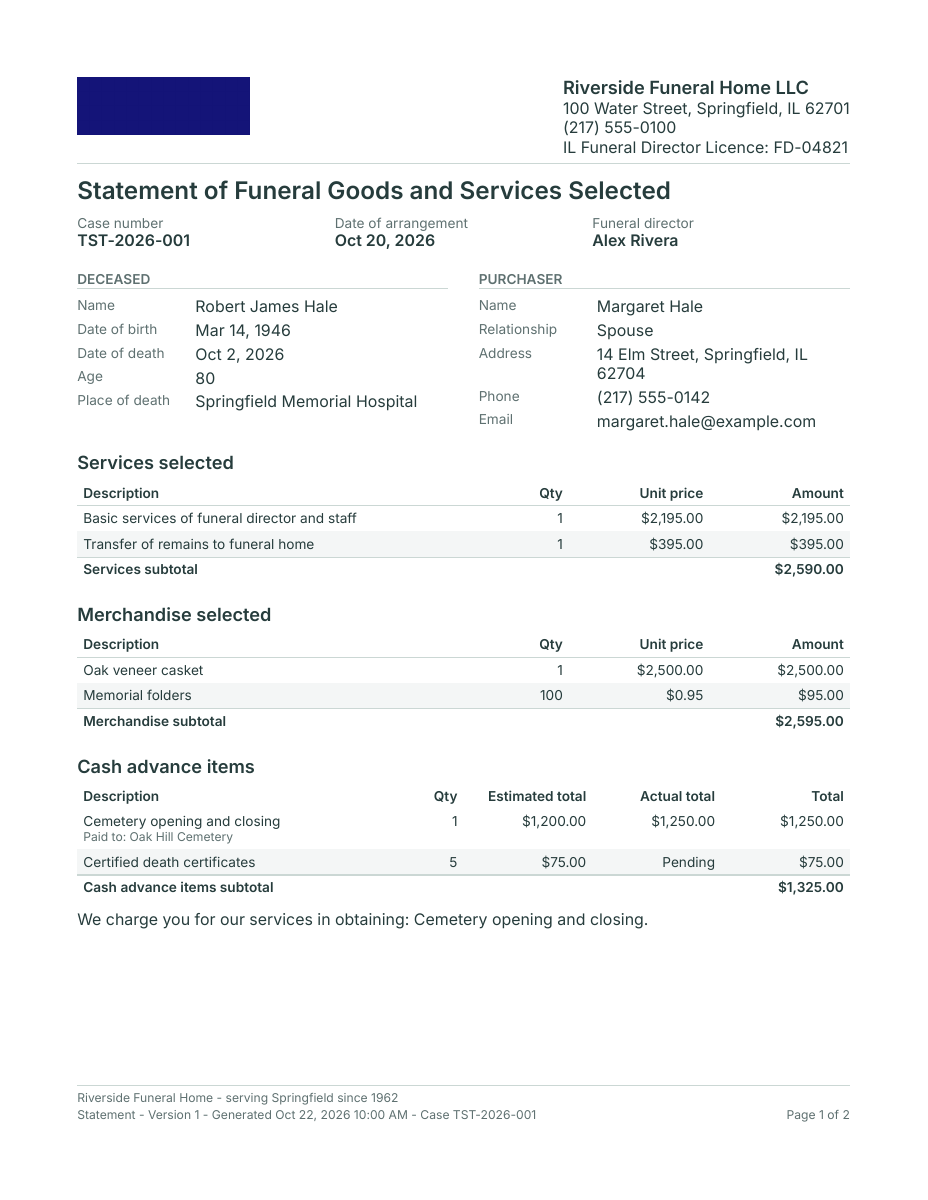
Generate all four documents in seconds. The family and the director sign with a finger. Email the copies before the family leaves the room. Family not in the room? They sign the Statement from home through their link.
- Statement, service sheet, obituary draft, invoice
- On-screen signatures in the room, or remote through the family link
- Email delivery with status
Invoice and close
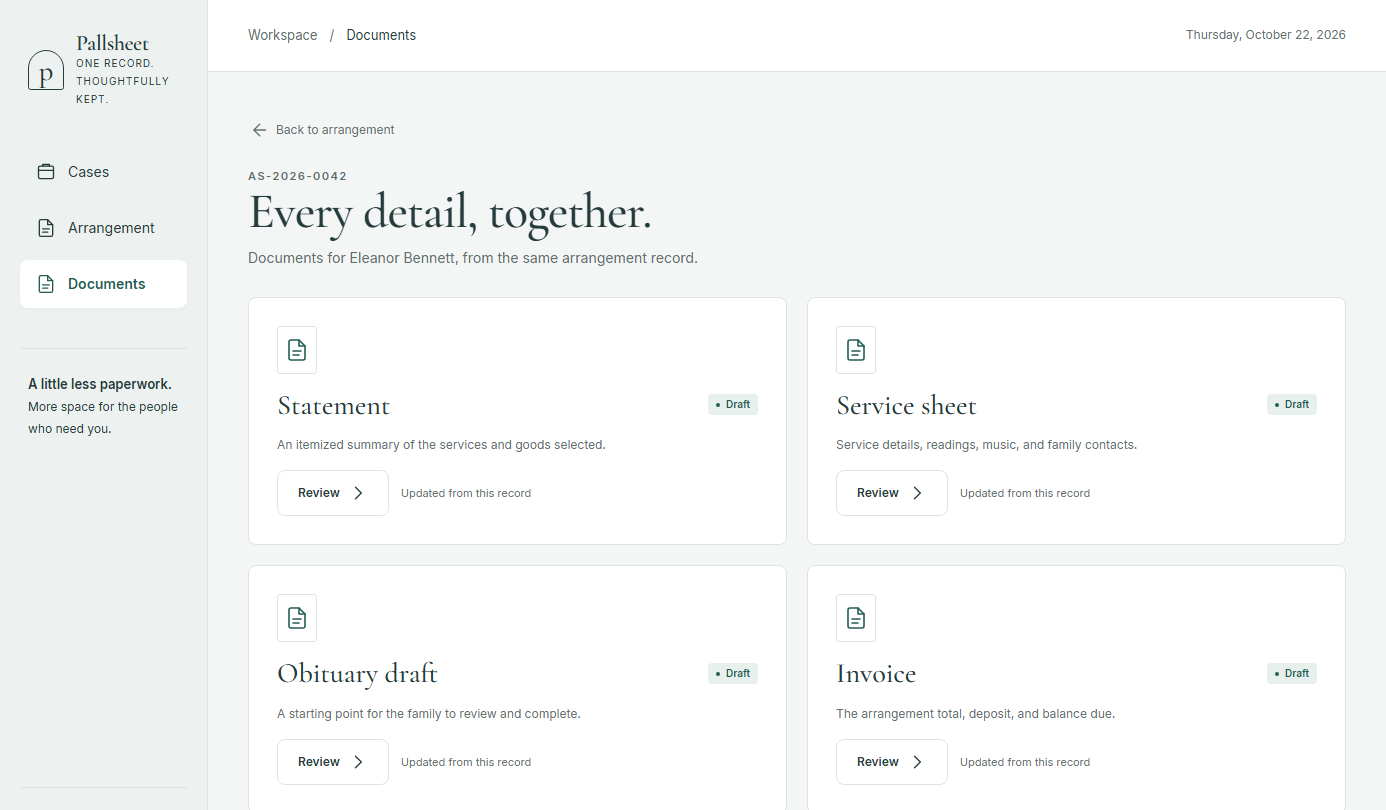
Record deposits and payments against the same totals as the contract. Send a card payment link with the invoice, and the payment records itself when the family pays. Close the case when it is settled.
- Card payment links through your own Stripe account
- Deposits, payments and balance due
- Same numbers as the Statement
- Closed cases stay on record, exportable
Getting started
Three things, then your first case.
A checklist walks you through it inside the app. No call needed.
No price list yet? Start with the free GPL template.
- 1
Import your General Price List
From a CSV, or type it in.
- 2
Set your disclosure text
Defaults drafted from the Funeral Rule. Edit every word.
- 3
Create a sample case
Generate the four documents and see them with your own prices.
Compliance, built in
Built around the Funeral Rule.
- Your Statement is itemized from your own General Price List.
- The disclosures 16 CFR Part 453 asks for are included by default.
- Required disclosures cannot be switched off by accident.
- Every word of disclosure text is yours to edit.
Pallsheet is not legal advice. Your home stays responsible for compliance.
Your next arrangement is the last one you type twice.
Start my 14-day free trial$59 a month after the trial. No card to start. Questions: hi@pallsheet.com